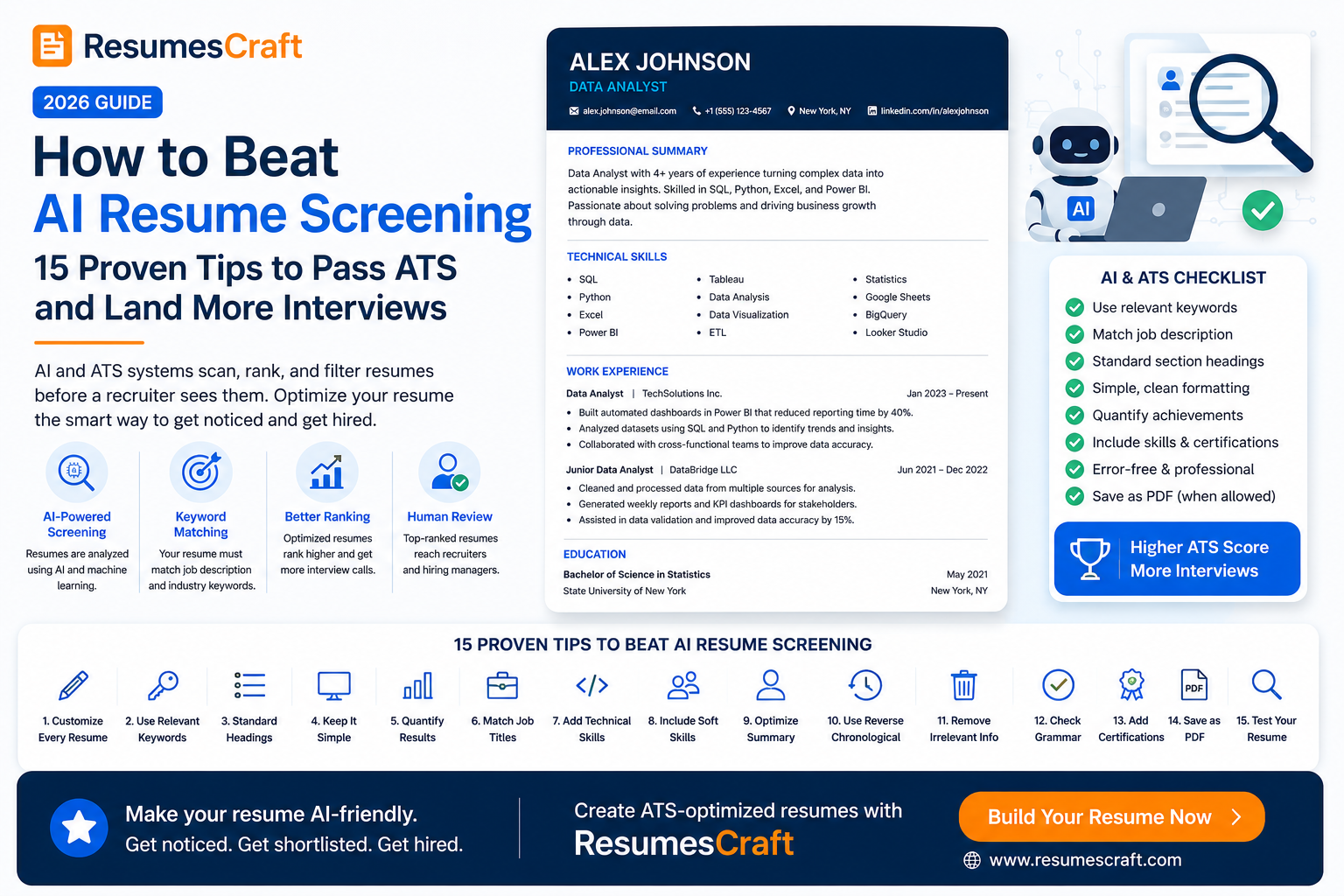
How to Beat AI Resume Screening in 2026: 15 Proven Tips to Pass ATS and Land More Interviews
The hiring process has changed dramatically. Today, many companies use Artificial Intelligence (AI) alongside Applicant Tracking Systems (ATS) to review resumes before a recruiter ever sees them.
Instead of reading every application manually, AI evaluates resumes based on keywords, experience, skills, job relevance, formatting, and even writing quality.
If your resume isn't optimized for these systems, it may never reach a hiring manager—even if you're highly qualified.
In this guide, you'll learn exactly how AI resume screening works and the proven strategies to increase your chances of getting interviews.
What Is AI Resume Screening?
AI resume screening uses machine learning and natural language processing (NLP) to analyze resumes automatically. Modern recruiting software compares your resume with the job description and ranks applicants based on how closely they match the role.
What AI Looks For
- Relevant job titles
- Technical skills
- Soft skills
- Industry keywords
- Years of experience
- Education
- Certifications
- Career progression
- Quantifiable achievements
15 Proven Tips to Beat AI Resume Screening
1. Customize Every Resume
Never use the same resume for every job. Match your experience and skills to the job description.
2. Include Important Keywords
Use keywords naturally throughout your summary, experience, and skills sections.
3. Use Standard Section Headings
- Professional Summary
- Work Experience
- Education
- Skills
- Certifications
4. Keep the Design Simple
Avoid tables, graphics, icons, columns, and text boxes that many ATS systems struggle to parse.
5. Quantify Your Achievements
Instead of writing:
"Improved sales."
Write:
"Increased sales by 35% in 12 months."
6. Match the Job Title
If your previous title differs slightly but accurately reflects the same work, use a matching title alongside the official one when appropriate.
7. Add Technical Skills
List tools, software, programming languages, and platforms relevant to your industry.
8. Include Soft Skills
Leadership, communication, collaboration, and problem-solving remain highly valued.
9. Optimize Your Professional Summary
Write a concise introduction that naturally includes your strongest qualifications and target keywords.
10. Use Reverse Chronological Format
This is the preferred resume format for recruiters and ATS systems.
11. Remove Irrelevant Information
Focus only on experience that supports the position you're applying for.
12. Check Spelling and Grammar
Even small mistakes can reduce your professionalism and keyword accuracy.
13. Include Certifications
Professional certifications often improve your resume's relevance score.
14. Save as PDF (When Allowed)
Most modern ATS systems support PDF files, but always follow the employer's instructions.
15. Test Your Resume Before Applying
Use an ATS resume checker to identify missing keywords, formatting issues, and optimization opportunities.
Common Mistakes That Hurt Your ATS Score
- Using fancy resume templates
- Keyword stuffing
- Missing measurable achievements
- Using images or icons
- Applying with the same resume everywhere
- Ignoring the job description
AI Resume Screening Checklist
- ✔ Tailored for the specific job
- ✔ ATS-friendly formatting
- ✔ Relevant keywords included
- ✔ Quantified achievements
- ✔ Error-free grammar
- ✔ Updated skills and certifications
- ✔ Professional summary optimized
Final Thoughts
AI isn't replacing recruiters—it's helping them identify the most relevant candidates faster. By understanding how AI resume screening works and optimizing your resume for both ATS systems and human readers, you can significantly improve your chances of landing interviews.
Need help optimizing your resume? ResumesCraft offers free ATS-friendly resume tools, resume analysis, and AI-powered writing assistance to help you create a resume that stands out in today's competitive job market.